
SOLTRY Office software for the self-employed
SOLTRY is office software for the self-employed that thinks ahead. It runs on your Windows PC, with no account and no cloud. A free test version is available now.
Test version, access on request
SOLTRY is not a substitute for tax advice.
Got your login? Go to the download pageYour office on your own PC.
When you’re self-employed, you’re the boss, the accounts department, sales and marketing all at once. Invoices sit in your inbox, deadlines in your head, contacts in your phone and ideas on scraps of paper. SOLTRY brings it all together.
And every part knows about the others. Split an invoice across several projects and contracts, attach documents and tasks to the contract, contact or project they belong to, and jump between them with a click. Looking for something? Press Ctrl+K and SOLTRY searches receipts, contacts, contracts, appointments, tasks and notes all at once.
What’s inside
- Contacts with history: calls, emails, meetings and notes
- Contracts and subscriptions with term and notice period
- Tasks, calendar, ideas and notes
- Documents with versions and tags
- Roadmap with milestones for every project
- Developer
- DELTRY
- Platforms
- Windows
- Status
- Test version, access on request
- Language
- German
A look inside SOLTRY.
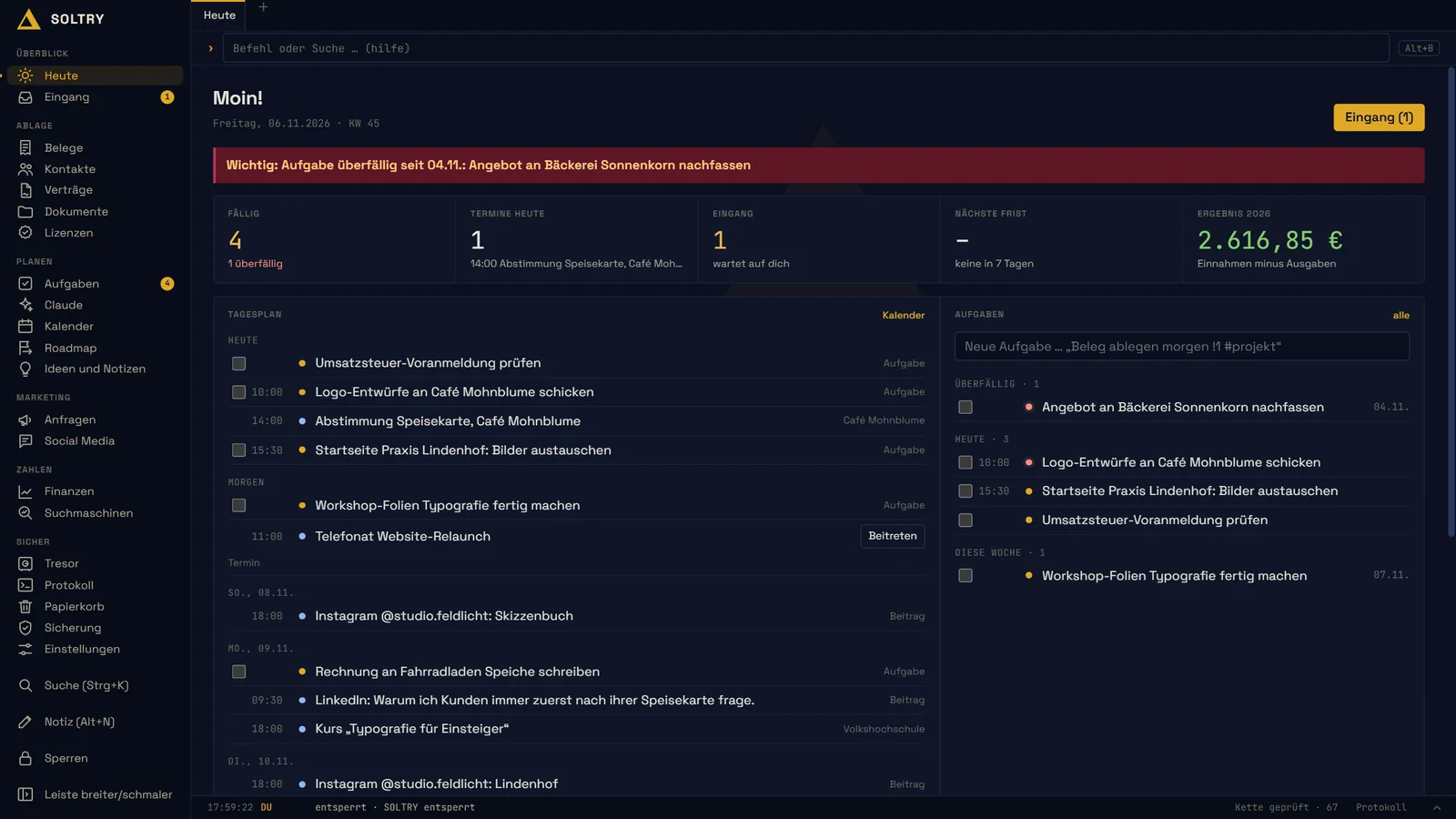
Every morning, you know what’s next.
The “Heute” (today) page shows tasks due, appointments, deadlines and scheduled posts at a glance. Tick off tasks right there and add new ones in seconds. When a notice period is coming up, SOLTRY reminds you in good time.
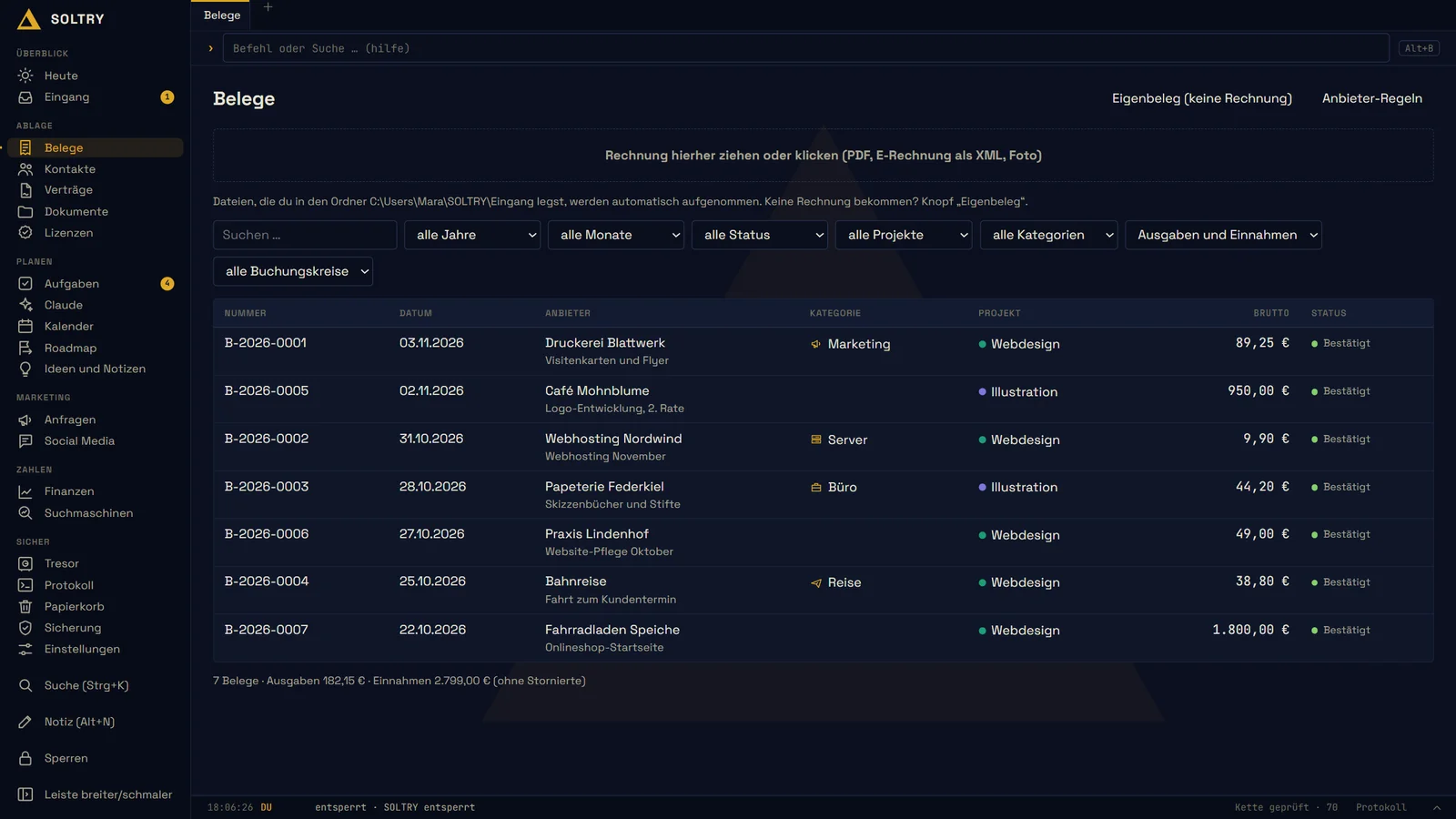
Invoices in, overview out.
Drag an invoice into the inbox: SOLTRY reads e-invoices, gives the file a clean name and notices when the same invoice arrives twice. Under “Finanzen” (finances) you see income and expenses by month and project. For your tax advisor, export everything as a spreadsheet.
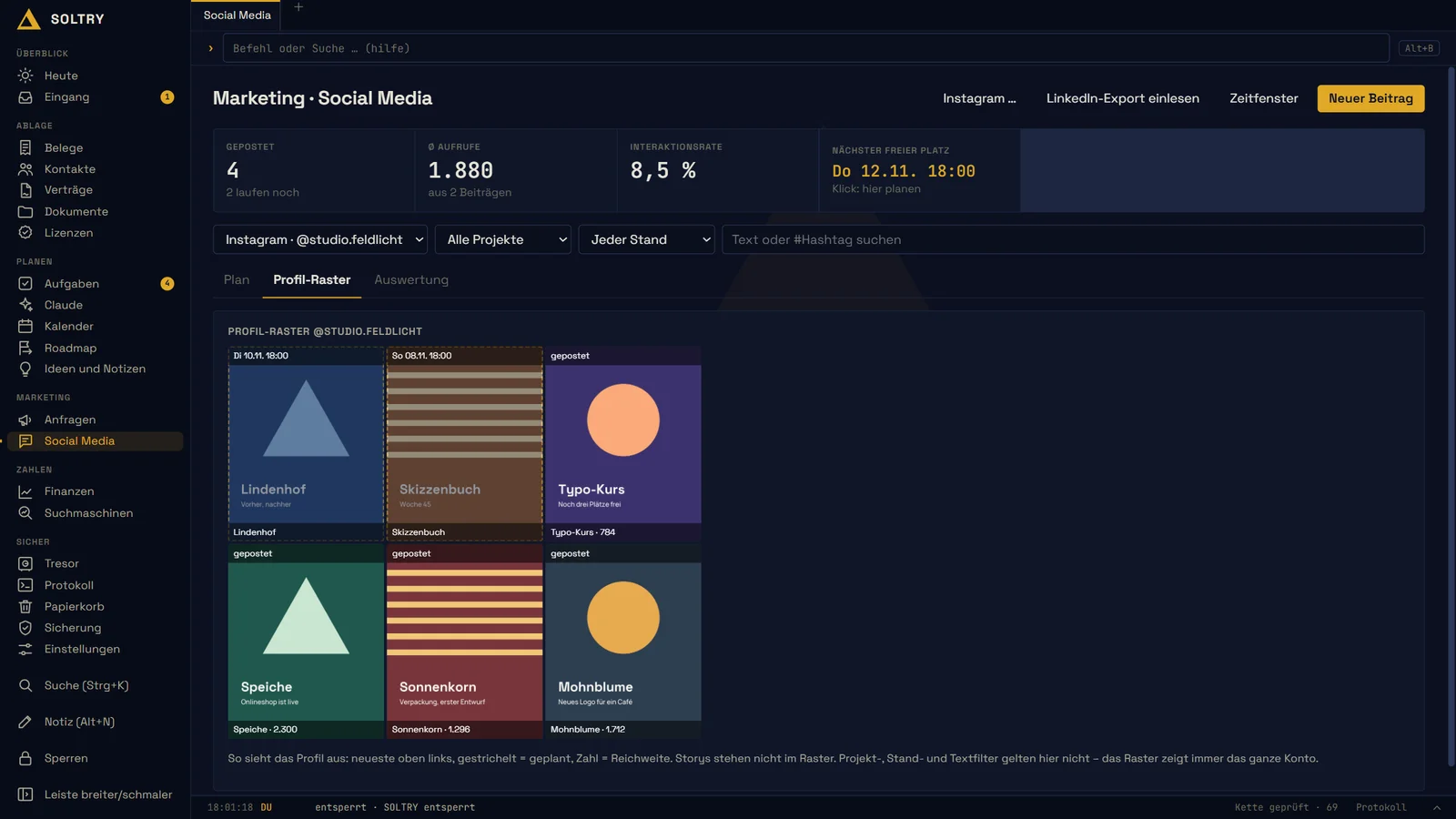
Your marketing has a plan.
Plan posts for social networks in fixed time slots and see in advance how your profile will look. Afterwards, SOLTRY shows how each post performed. For your website, it fetches the search engine figures: clicks, impressions, position and the search terms people use to find you.
Images with made-up sample data, showing the German version.
Security mattered to us from day one.
SOLTRY needs no account and no cloud, so your data stays on your PC. It asks for your PIN at startup and locks itself when you’ve been away for a while.
Logins, bank details and ID documents go into the vault. Each entry there is encrypted separately and only opens with your password and a code from your phone. Backups are encrypted before they go to your USB stick, and SOLTRY only installs an update if its digital signature checks out.
Every change is logged, and deleted items go to the bin first. Apart from the figures you set up yourself, SOLTRY runs without internet and without AI.
What’s coming next.
SOLTRY grows with every update, and you see what’s new right inside the program. Next, we’ll also encrypt the database and all receipts on your hard drive.
After that, your mailbox is set to move in: read and write emails, and send invoices from attachments straight to the inbox. More ideas are already lined up, such as photographing receipts with your phone and a dedicated place for flyers and campaigns.
Frequently asked questions about SOLTRY
Why does Windows show a warning on first start?
The test version doesn’t have its own publisher certificate yet, so Windows will probably show “Windows protected your PC” on first start. Click “More info”, then “Run anyway”.
Does SOLTRY do my bookkeeping?
No. SOLTRY organises your receipts and shows you your figures, but it doesn’t do your bookkeeping or your tax return.
What does SOLTRY send over the internet?
On its own, only one request a day to deltry.de to check for updates. The request carries no identifier, and you can switch it off in the settings.
Try SOLTRY for free.
Once you’ve signed up, we’ll send you the login for the download.